Liquid Spill Damage
A spill is not a single problem. It is a corrosion event that starts in minutes and spreads if the machine is powered on or left untouched in a damp state.
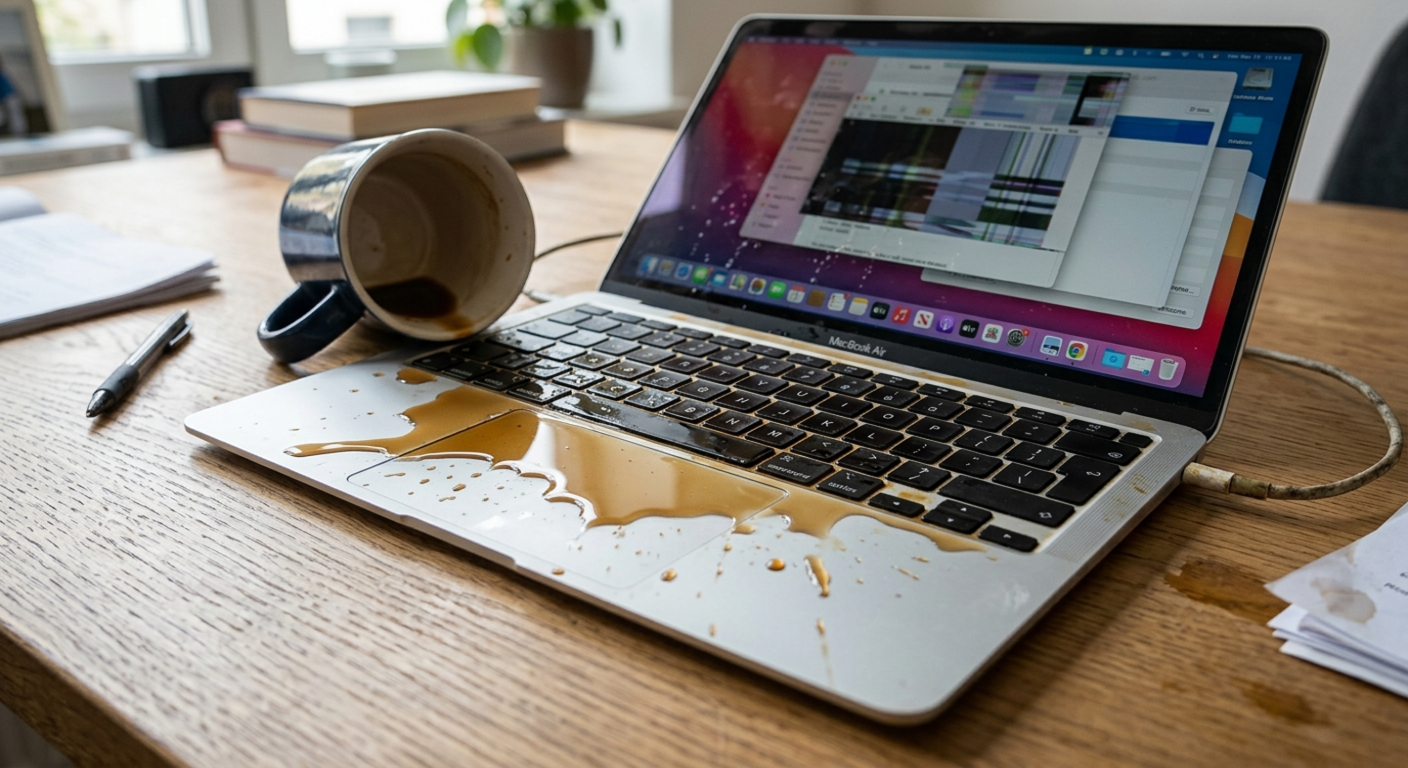
Quick diagnostic takeaway. When liquid reaches the keyboard and tracks downward into the board, it brings minerals and debris into the electrical path. Coffee, tea, and even clean water can leave residues that cause shorts, corrosion, or hidden oxidation. If the machine is still powered on after the spill, the circuit may continue to conduct and damage pads or traces as the moisture moves. The key point is that the first hour matters. A delayed cleanup changes the nature of the repair from a simple clean to a board recovery job. The visible symptom is a clue, not the component verdict.
01How It Happens
When liquid reaches the keyboard and tracks downward into the board, it brings minerals and debris into the electrical path. Coffee, tea, and even clean water can leave residues that cause shorts, corrosion, or hidden oxidation. If the machine is still powered on after the spill, the circuit may continue to conduct and damage pads or traces as the moisture moves. The key point is that the first hour matters. A delayed cleanup changes the nature of the repair from a simple clean to a board recovery job.
WarningDo not keep testing a machine that is already shutting down. Repeated thermal or power events can turn a recoverable fault into board damage.
02Symptoms to Watch For
Keyboard suddenly stops responding or multiple keys die. Laptop powers off by itself after the spill. There is a metallic or chemical smell from the keyboard area. The machine works briefly, then develops random flicker or unstable behavior.
- Keyboard suddenly stops responding or multiple keys die
- Laptop powers off by itself after the spill
- There is a metallic or chemical smell from the keyboard area
- The machine works briefly, then develops random flicker or unstable behavior
03Resolution: The Fix
Power off in the first minutes — do not boot it to ‘check’
Leaving it on after a spill keeps current in wet traces. Unplug, remove the pack if it is user-accessible, and do not use rice or a hairdryer.
Inspect how far the liquid travelled
Keyboard, ports, and the board underside are checked for residue. Early jobs stay a clean; delayed jobs become corrosion on pads.
Ultrasonic / board-level clean (urgent ultrasonic)
Professional flush and corrosion treatment at the hub, not a wipe of the keys. Shorted rails are repaired at chip level if the spill already killed a circuit.
Replace the deck if the membrane is gone
Sticky or dead keys after a tea/coffee event often need an OEM keyboard even when the board is saved.
Bench tipA proper diagnosis follows the signal path before replacing a part. That is how we avoid charger roulette and unnecessary motherboard swaps.
04How to Stop It Happening Again
Keep drinks away from the work area, and never assume a spill is harmless because the machine still boots. If a spill happens, power it down immediately and do not press any keys or test it again until it has been inspected. Fast action dramatically reduces the repair complexity.
Diagnostic noteKeep the symptom history, model number, and any recent event ready. Those three details shorten bench time considerably.
Was this guide helpful?
Continue the investigation